<?xml version="1.0" encoding="utf-8"?><feed xmlns="http://www.w3.org/2005/Atom" ><generator uri="https://jekyllrb.com/" version="3.10.0">Jekyll</generator><link href="https://hawksley.org/feed.xml" rel="self" type="application/atom+xml" /><link href="https://hawksley.org/" rel="alternate" type="text/html" /><updated>2026-04-03T21:32:50+00:00</updated><id>https://hawksley.org/feed.xml</id><title type="html">Joel Hawksley</title><subtitle>Joel Hawksley is a software engineer based in Colorado.</subtitle><author><name>Joel Hawksley</name></author><entry><title type="html">Split-screen baby monitor in Apple Home</title><link href="https://hawksley.org/2026/04/02/baby-monitor.html" rel="alternate" type="text/html" title="Split-screen baby monitor in Apple Home" /><published>2026-04-02T00:00:00+00:00</published><updated>2026-04-02T00:00:00+00:00</updated><id>https://hawksley.org/2026/04/02/baby-monitor</id><content type="html" xml:base="https://hawksley.org/2026/04/02/baby-monitor.html"><![CDATA[<figure>
  <img src="/img/posts/2026-04-02-baby-monitor/picture-in-picture.jpg" alt="A picture-in-picture feed of two baby monitors is displayed in the bottom right hand corner of a tv screen. There is dramatic blue lighting in the room." />
  <figcaption>Displaying the combined feed during a Peloton workout.</figcaption>
</figure>

<blockquote>
  <p>I saw your smart home through the video on Smart Home Solver. I went to check out your site, hoping to find more info on your “baby monitoring” setup you did through your Apple TV, Unifi stack, and HA. I have the exact same setup, and my wife and I are about to welcome our firstborn. Could you point me in the right direction on how you managed to make all of that happen? Thank you. - Caleb L., Ohio</p>
</blockquote>

<p>First of all, thank you for the question Caleb! Congrats!</p>

<p>While we do have an offline baby monitor for our baby sitter, we use Ubiquiti cameras as our primary monitoring setup, mostly via the Protect app on our phones. The motion event patterns help us see how the kids are sleeping, and we use the AI baby crying detection to turn on our bedroom lights overnight!</p>

<p>Unfortunately, you can only listen to the audio from multiple cameras using the Unifi web app. Also, we like to keep our phones put away whenever possible, so we were looking for a way to display the cameras on our TV and Apple Watches.</p>

<p>With those problems in mind, set out to 1) combine the two streams into a single feed and 2) get the feed into Apple Home.</p>

<p>To combine the two streams, I used the <a href="https://github.com/AlexxIT/go2rtc">go2rtc</a> Home Assistant Add-on/App. Under <code class="language-plaintext highlighter-rouge">config</code>, I added:</p>

<div class="language-yml highlighter-rouge"><div class="highlight"><pre class="highlight"><code><span class="na">streams</span><span class="pi">:</span>
  <span class="na">combined</span><span class="pi">:</span>
    <span class="pi">-</span> <span class="s2">"</span><span class="s">exec:ffmpeg</span><span class="nv"> </span><span class="s">-rtsp_transport</span><span class="nv"> </span><span class="s">tcp</span><span class="nv"> </span><span class="s">-i</span><span class="nv"> </span><span class="s">rtsp://CAMERA_A_IP:7447/xxx</span><span class="nv"> </span><span class="s">-rtsp_transport</span><span class="nv"> </span><span class="s">tcp</span><span class="nv"> </span><span class="s">-i</span><span class="nv"> </span><span class="s">rtsp://CAMERA_B_IP:7447/yyy</span><span class="nv"> </span><span class="s">-filter_complex</span><span class="nv"> </span><span class="s">[0:v]transpose=1[left];[1:v]transpose=1[right];[left][right]hstack=inputs=2,scale=1920:1080:force_original_aspect_ratio=decrease,pad=1920:1080:(ow-iw)/2:(oh-ih)/2:black[out];[0:a][1:a]amix=inputs=2:duration=longest[aout]</span><span class="nv"> </span><span class="s">-map</span><span class="nv"> </span><span class="s">[out]</span><span class="nv"> </span><span class="s">-map</span><span class="nv"> </span><span class="s">[aout]</span><span class="nv"> </span><span class="s">-c:v</span><span class="nv"> </span><span class="s">libx264</span><span class="nv"> </span><span class="s">-preset</span><span class="nv"> </span><span class="s">ultrafast</span><span class="nv"> </span><span class="s">-tune</span><span class="nv"> </span><span class="s">zerolatency</span><span class="nv"> </span><span class="s">-c:a</span><span class="nv"> </span><span class="s">aac</span><span class="nv"> </span><span class="s">-f</span><span class="nv"> </span><span class="s">rtsp</span><span class="nv"> </span><span class="s">{output}"</span>
</code></pre></div></div>

<p>This combines the two Unifi cameras (note the <code class="language-plaintext highlighter-rouge">rtsp</code> protocol, changed port number and no <code class="language-plaintext highlighter-rouge">enableSrtp</code> flag), rotates them to be vertical to fit in a single frame, merges the audio, and outputs a single RTSP feed.</p>

<p>Then, in the Scrypted Home Assistant Add-on/App, add an RTSP camera with the RTSP Stream URL of <code class="language-plaintext highlighter-rouge">rtsp://homeassistant.local:8554/combined</code>. From there, it’s simply a matter of scanning the HomeKit QR code for the camera to add it to Apple Home!</p>

<figure>
  <img src="/img/posts/2026-04-02-baby-monitor/apple-watch.jpg" alt="A feed of two baby monitors is displayed on an Apple Watch. There is dramatic red lighting in the room." />
  <figcaption>Displaying the combined feed on my Apple Watch.</figcaption>
</figure>]]></content><author><name>Joel Hawksley</name></author><summary type="html"><![CDATA[A reader asked how I integrate our Unifi baby monitor cameras into Apple Home. Here is how to combine two cameras into a split-screen view with a combined audio feed for our Apple TVs, iPhones, and Apple Watches using Scrypted and go2rtc:]]></summary><media:thumbnail xmlns:media="http://search.yahoo.com/mrss/" url="https://hawksley.org/img/posts/2026-04-02-baby-monitor/picture-in-picture.jpg" /><media:content medium="image" url="https://hawksley.org/img/posts/2026-04-02-baby-monitor/picture-in-picture.jpg" xmlns:media="http://search.yahoo.com/mrss/" /></entry><entry><title type="html">Automatic bird identification with Home Assistant</title><link href="https://hawksley.org/2026/03/10/automated-birdwatching.html" rel="alternate" type="text/html" title="Automatic bird identification with Home Assistant" /><published>2026-03-10T00:00:00+00:00</published><updated>2026-03-10T00:00:00+00:00</updated><id>https://hawksley.org/2026/03/10/automated-birdwatching</id><content type="html" xml:base="https://hawksley.org/2026/03/10/automated-birdwatching.html"><![CDATA[<figure>
  <img src="/img/posts/2026-03-10-automated-birdwatching/most-interesting.jpg" alt="Close-up image of an e-paper display with text saying 'Barred Owl'." />
  <figcaption>A Barred Owl detected by BirdNET-Go</figcaption>
</figure>

<p>My wife and I love birding. Our interest in the hobby intensified during COVID, spending many mornings at our <a href="https://bouldercounty.gov/open-space/parks-and-trails/walden-ponds-wildlife-habitat/">favorite birdwatching spot</a>.</p>

<p>When <a href="https://merlin.allaboutbirds.org/">Merlin Bird ID</a> added <a href="https://merlin.allaboutbirds.org/sound-id/">Sound ID</a> in 2021, we were hooked immediately! It felt like something out of Harry Potter to be able to have our phones tell us what bird we were hearing, even if we couldn’t see it. About a year later, the <a href="https://github.com/mcguirepr89/BirdNET-Pi">BirdNET-Pi</a> project made it easy to run the Sound ID model locally. One of the audio sources supported was the RTSP output, which I used with two of our Ubiquiti cameras.</p>

<p>While it worked well at identifying birds accurately, the app crashed randomly. First, I tried installing BirdNET-Pi as a Home Assistant Addon, as my HA hardware was vastly overprovisioned compared to the Raspberry Pi. This reduced the crashes, but did not eliminate them. A few months later, a fellow birding and Home Assistant enthusiast recommended I try <a href="https://github.com/tphakala/birdnet-go">BirdNET-Go</a>, which is a rewrite of BirdNET-Pi with improved stability and performance. This fixed the reliability issues once and for all and I haven’t had any crashes since then.</p>

<h2 id="sifting-through-the-data">Sifting through the data</h2>

<p>With the stability issue resolved, I had a bigger problem: what to do with all of this data? While BirdNET-Go provided a nice dashboard for viewing detections, I wanted to find a way to surface insights about the data that were interesting to me without having to comb through the feed. Around the same time, I was developing the latest version of <a href="/2026/02/17/timeframe.html">Timeframe</a>, my e-paper dashboard system. Caitlin suggested we highlight the most interesting detection of the past day.</p>

<p>After trying a few different algorithms, I ended up with a simple REST sensor. The sensor fetches the summary data from BirdNET-Go, filters it to only include detections from the past day, then sorts them by the bird most recently heard for the first time:</p>

<div class="language-yml highlighter-rouge"><div class="highlight"><pre class="highlight"><code><span class="c1"># configuration.yaml</span>
<span class="na">sensor</span><span class="pi">:</span>
  <span class="pi">-</span> <span class="na">platform</span><span class="pi">:</span> <span class="s">rest</span>
    <span class="na">resource</span><span class="pi">:</span> <span class="s">http://homeassistant.local:8080/api/v2/analytics/species/summary</span>
    <span class="na">scan_interval</span><span class="pi">:</span> <span class="m">300</span>
    <span class="na">name</span><span class="pi">:</span> <span class="s2">"</span><span class="s">Most</span><span class="nv"> </span><span class="s">Interesting</span><span class="nv"> </span><span class="s">Bird"</span>
    <span class="na">unique_id</span><span class="pi">:</span> <span class="s">birdnet_most_interesting</span>
    <span class="na">value_template</span><span class="pi">:</span> <span class="pi">&gt;</span>
      <span class="s">{% set cutoff = (now() - timedelta(hours=24)).strftime('%Y-%m-%d %H:%M:%S') %}</span>
      <span class="s">{% set birds = value_json</span>
        <span class="s">| rejectattr('common_name', 'eq', 'Engine')</span>
        <span class="s">| selectattr('last_heard', 'ge', cutoff)</span>
        <span class="s">| sort(attribute='first_heard', reverse=true)</span>
        <span class="s">| list %}</span>
      <span class="s">{{ birds[0].common_name if birds | length &gt; 0 else 'Unknown' }}</span>
</code></pre></div></div>

<p>It’s been fun to see new species appear for the first time as an early spring arrives here in Colorado:</p>

<figure>
  <img src="/img/posts/2026-03-10-automated-birdwatching/detections.png" alt="A timeline view of the sensor's value showing it changing from Black-capped Chickadee to Western Bluebird to Say's Phoebe" />
  <figcaption>Three new species in two days!</figcaption>
</figure>]]></content><author><name>Joel Hawksley</name></author><summary type="html"><![CDATA[I use Birdnet-Go to identify bird calls using the audio from my Ubiquiti cameras, displaying the most interesting bird detected in the past day on my Timeframe displays:]]></summary><media:thumbnail xmlns:media="http://search.yahoo.com/mrss/" url="https://hawksley.org/img/posts/2026-03-10-automated-birdwatching/most-interesting.jpg" /><media:content medium="image" url="https://hawksley.org/img/posts/2026-03-10-automated-birdwatching/most-interesting.jpg" xmlns:media="http://search.yahoo.com/mrss/" /></entry><entry><title type="html">Featured on Smart Home Solver</title><link href="https://hawksley.org/2026/02/23/smart-home-solver.html" rel="alternate" type="text/html" title="Featured on Smart Home Solver" /><published>2026-02-23T00:00:00+00:00</published><updated>2026-02-23T00:00:00+00:00</updated><id>https://hawksley.org/2026/02/23/smart-home-solver</id><content type="html" xml:base="https://hawksley.org/2026/02/23/smart-home-solver.html"><![CDATA[<p>Our home was recently featured on Smart Home Solver. Check it out!</p>

<div style="position: relative; padding-bottom: 56.25%; height: 0; max-width: 100%;">
  <iframe style="position: absolute; top: 0; left: 0; width: 100%; height: 100%;" src="https://www.youtube.com/embed/Wkzg8sNkm8Y?si=KAb_C_GB2NSa29My" title="Smart Home Solver tour of Joel Hawksley's smart home" frameborder="0" allow="accelerometer; autoplay; clipboard-write; encrypted-media; gyroscope; picture-in-picture; web-share" referrerpolicy="strict-origin-when-cross-origin" allowfullscreen=""></iframe>
</div>]]></content><author><name>Joel Hawksley</name></author><summary type="html"><![CDATA[Our home was recently featured on Smart Home Solver:]]></summary><media:thumbnail xmlns:media="http://search.yahoo.com/mrss/" url="https://hawksley.org/img/posts/2026-02-23-smart-home-solver/thumbnail.png" /><media:content medium="image" url="https://hawksley.org/img/posts/2026-02-23-smart-home-solver/thumbnail.png" xmlns:media="http://search.yahoo.com/mrss/" /></entry><entry><title type="html">How I built Timeframe, our family e-paper dashboard</title><link href="https://hawksley.org/2026/02/17/timeframe.html" rel="alternate" type="text/html" title="How I built Timeframe, our family e-paper dashboard" /><published>2026-02-17T00:00:00+00:00</published><updated>2026-02-17T00:00:00+00:00</updated><id>https://hawksley.org/2026/02/17/timeframe</id><content type="html" xml:base="https://hawksley.org/2026/02/17/timeframe.html"><![CDATA[<p><em><strong>TL;DR:</strong> Over the past decade, I’ve worked to build the perfect family dashboard system for our home, called <a href="https://github.com/joelhawksley/timeframe">Timeframe</a>. Combining calendar, weather, and smart home data, it’s become an important part of our daily lives.</em></p>

<p><em>See <a href="https://news.ycombinator.com/item?id=47113728">https://news.ycombinator.com/item?id=47113728</a> for a lively discussion of this post.</em></p>

<p><img src="/img/posts/2026-02-17-timeframe/nook-wide.jpg" alt="Timeframe display in phone nook" /></p>

<p>When Caitlin and I got married a decade ago, we set an intention to have a healthy relationship with technology in our home. We kept our bedroom free of any screens, charging our devices elsewhere overnight. But we missed our calendar and weather apps.</p>

<h2 id="initial-prototypes">Initial prototypes</h2>

<p>So I set out to build a solution to our problem. First, I constructed a <a href="https://magicmirror.builders/">Magic Mirror</a> using an off-the-shelf medicine cabinet and LCD display with its frame removed. It showed the calendar and weather data we needed:</p>

<p><img src="/img/posts/2026-02-17-timeframe/magic-mirror.jpg" alt="Magic Mirror prototype" /></p>

<p>But it was hard to read the text, especially during the day as we get significant natural light in Colorado. At night, it glowed like any backlit display, sticking out sorely in our living space.</p>

<p>I then spent about a year experimenting with various jailbroken Kindle devices, eventually landing on design with calendar and weather data on a pair of screens. The Kindles took a few seconds to refresh and flash the screen to reset the ink pixels, so they only updated every half hour. I designed wood enclosures and laser-cut them at the <a href="https://boulderlibrary.org/makerspaces/bldg-61/">local library makerspace</a>:</p>

<p><img src="/img/posts/2026-02-17-timeframe/kindle-enclosure.jpg" alt="Kindle e-paper display in laser-cut wood enclosure" /></p>

<p>Software-wise, I built a Ruby on Rails app for fetching the necessary data from Google Calendar and Dark Sky. The Kindles woke up on a schedule, loading a URL in the app that rendered a PNG using <a href="https://github.com/csquared/IMGKit">IMGKit</a>. The prototype proved e-paper was the right solution: it was unobtrusive regardless of lighting:</p>

<p><img src="/img/posts/2026-02-17-timeframe/kindle-enclosure-lit.jpg" alt="Kindle display in low light" /></p>

<h2 id="a-more-reliable-approach">A more reliable approach</h2>

<p>The Kindles were a hack, requiring constant tinkering to keep them working. It was time for a more reliable solution. I tried an OLED screen to see if the lack of a global backlight would be less distracting, but it wasn’t much better than the Magic Mirror:</p>

<p><img src="/img/posts/2026-02-17-timeframe/oled-comparison.jpg" alt="OLED tablet compared with epaper display" /></p>

<p>So it was back to e-paper. I found a system of displays from <a href="https://www.visionect.com/">Visionect</a>, which came in 6”/10”/13”/32” sizes and could update every ten minutes for 2-3 <em>months</em> on a single charge:</p>

<p><img src="/img/posts/2026-02-17-timeframe/visionect-range.jpg" alt="Visionect display range" /></p>

<p>The 32” screen used an outdated lower-contrast panel and its resolution was too low to render text smoothly. The smaller sizes used a contrasty, high-PPI panel. I ended up using a combination of them around the house: a 6” in the mudroom for the weather, a 13” (with its built-in magnetic backing) in the kitchen attached to the side of the fridge, and a 10” in the bedroom.</p>

<p><img src="/img/posts/2026-02-17-timeframe/visionect-fridge.jpeg" alt="Visionect display on fridge" /></p>

<p>The Visionect displays required running custom closed-source software, either as a SaaS or locally with Docker. I opted for a local installation on the Raspberry Pi already running the Rails backend. I had my best results <em>pushing</em> images to the Visionect displays every five minutes in a recurring background job. It used IMGKit to generate a PNG and send it to the Visionect API, logic I extracted into <a href="https://github.com/joelhawksley/visionect-ruby">visionect-ruby</a>. This setup proved to be incredibly reliable, without a single failure for months at a time.</p>

<h2 id="first-customer-pilot">First customer pilot</h2>

<p>Visiting friends often asked how they could have a similar system in their home. Three years after the initial prototype, I did my first market test with a potential customer. At their request, I experimented with different formats, including a month view on the 13” screen:</p>

<p><img src="/img/posts/2026-02-17-timeframe/monthly.jpg" alt="Monthly calendar view on display" /></p>

<p>Unfortunately, the customer didn’t see enough value to justify the $1000 price tag (in 2019!) for the 13” device, let alone anything I’d charge for a subscription service. At around the same time, Visionect started charging a $7/mo per-device fee to run their backend software on premises with Docker, after years of it being free to use. I’d have needed to charge $10/month, if not more, for a single screen!</p>

<h2 id="an-unexpected-pivot">An unexpected pivot</h2>

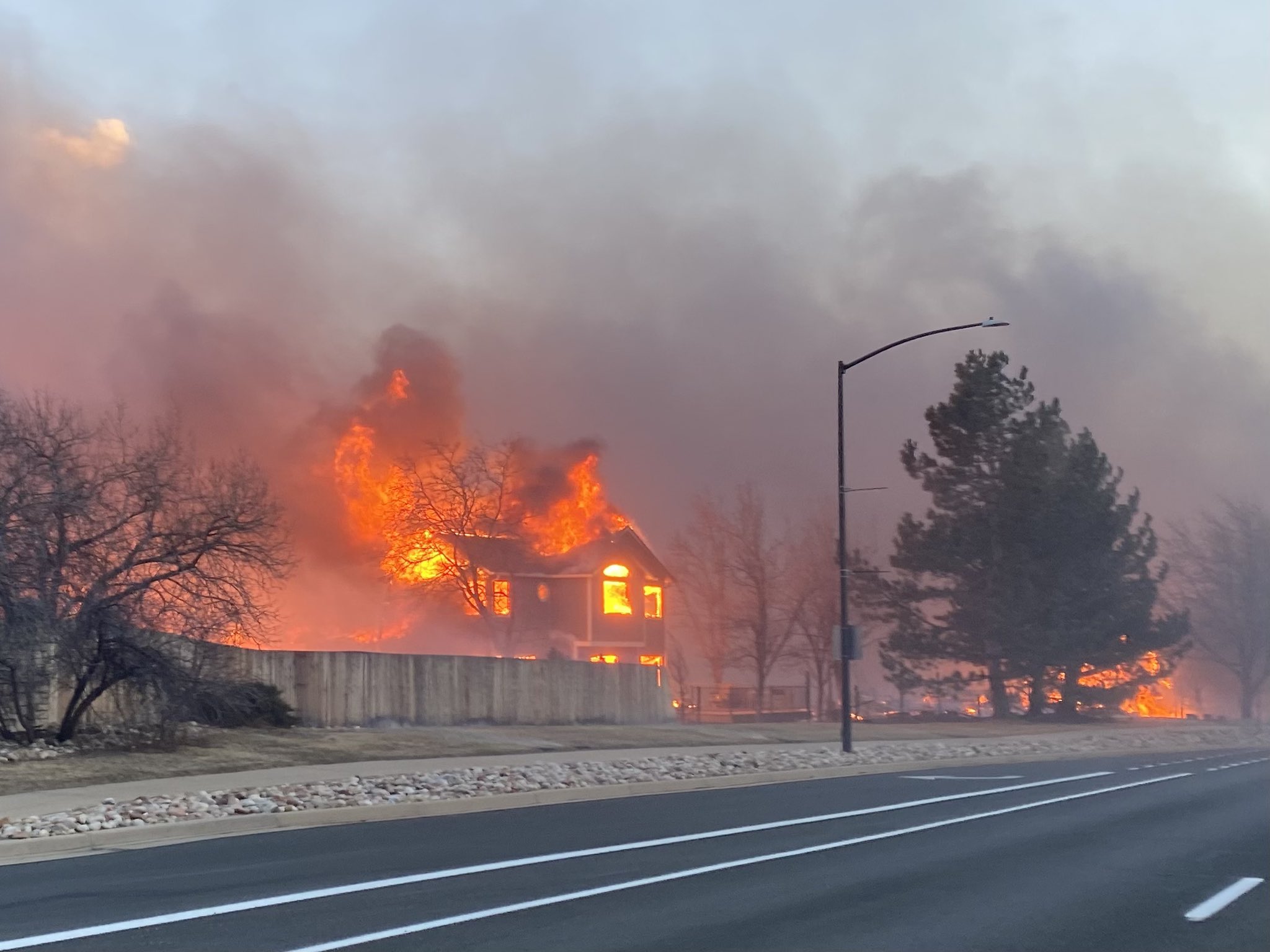
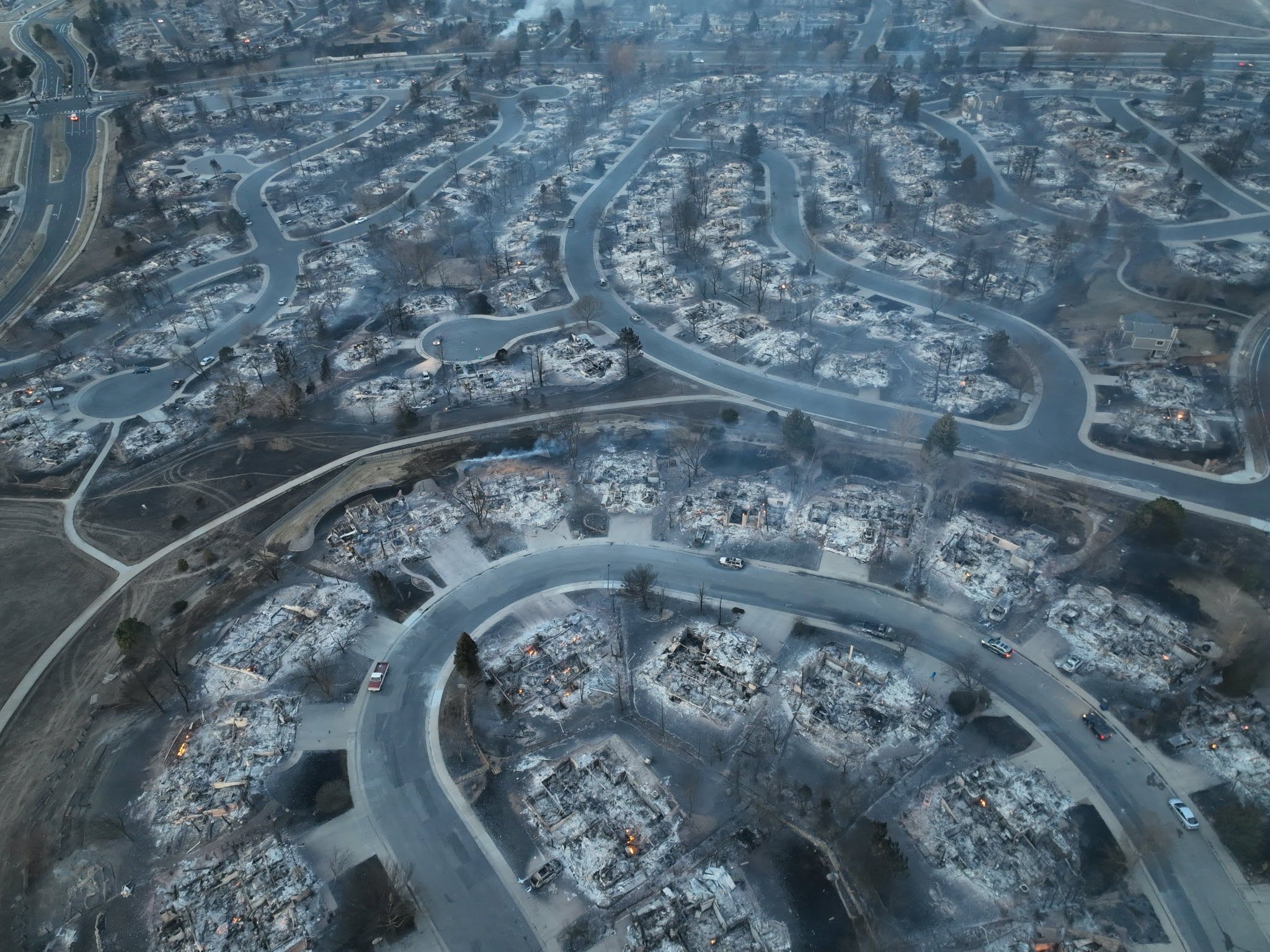
<p>In late 2021, the <a href="https://en.wikipedia.org/wiki/Marshall_Fire">Marshall Fire</a> destroyed our home along with ~1,000 others. Our homeowner’s insurance gave us two years to rebuild, so we set off to redesign our home from the ground up.</p>

<p><img src="/img/posts/2026-02-17-timeframe/redesigning.jpg" alt="Redesigning our home" /></p>

<p>Around the same time, Boox released the <a href="https://onyxboox.com/boox_mirapro">25.3” Mira Pro</a>, the first high-resolution option for large e-paper screens. Best of all, it could update in realtime! Unlike the Visionect devices, it was just a display with an HDMI port and needed to be plugged into power. A quick prototype powered by an old Mac Mini made it immediately obvious that it was a huge step forward in capability. The larger screen allowed for significantly more information to be displayed:</p>

<p><img src="/img/posts/2026-02-17-timeframe/mira-pro.jpg" alt="Boox Mira Pro e-paper display" /></p>

<p>But the most compelling innovation was having the screen update in realtime. I added a clock, the current song playing on our Sonos system (using <a href="https://github.com/jishi/node-sonos-http-api">jishi/node-sonos-http-api</a>) and the next-hour precipitation forecast from Dark Sky:</p>

<p><img src="/img/posts/2026-02-17-timeframe/realtime.jpg" alt="Realtime display updates" /></p>

<p>The working prototype was enough to convince me to build a place for it in the new house. We designed a “phone nook” on our main floor with an art light for the display:</p>

<p><img src="/img/posts/2026-02-17-timeframe/nook-wide.jpg" alt="Timeframe display in phone nook" /></p>

<p>We also ran power to two more locations for 13” Visionect displays, one in our bedroom and one by the door to our garage:</p>

<p><img src="/img/posts/2026-02-17-timeframe/bedroom-mudroom.jpg" alt="Bedroom and mudroom displays" /></p>

<h2 id="backend-overhaul">Backend overhaul</h2>

<p>The real-time requirements of the Mira Pro immediately surfaced performance and complexity issues in the backend, prompting an almost complete rewrite.</p>

<p>While the Visionect system worked just fine with multiple-second response times, switching to long-polling every two seconds put a ceiling on how slow response times could be. To start, I moved away from generating images. The Visionect folks added the ability to render a URL directly in the backend, freeing up resources to serve the long-polling requests.</p>

<p>Most significantly, I started migrating towards Home Assistant (HA) as the primary data source. HA already had integrations for Google Calendar, Dark Sky (now Apple Weather), and Sonos, enabling me to remove over half of the code in the Timeframe codebase! I ended up landing a <a href="https://github.com/home-assistant/core/pull/128900">PR to Home Assistant</a> to allow for the calendar behavior I needed, and will probably need to write a couple more before HA can be the sole data source.</p>

<p>With less data-fetching logic, I was able to remove both the database and Redis from the Rails application, a massive reduction in complexity. I now run the <a href="https://github.com/joelhawksley/timeframe/blob/434da5569bdb84037a5f6f09551ec29a04dd86ff/config/scheduler.rb">background tasks</a> with <a href="https://github.com/jmettraux/rufus-scheduler">Rufus Scheduler</a> and save data fetching results with the Rails <a href="https://github.com/joelhawksley/timeframe/blob/434da5569bdb84037a5f6f09551ec29a04dd86ff/app/apis/api.rb#L19">file store cache backend</a>.</p>

<p>In addition to data retrieval, I’ve also worked to move as much of the application logic into Home Assistant. I now <a href="https://github.com/joelhawksley/timeframe/blob/main/app/apis/home_assistant_api.rb#L33">automatically display</a> the status of any sensor that begins with <em>sensor.timeframe</em>, using a simple <em>ICON,Label</em> CSV format.</p>

<p>For example, the other day I wanted to have a reminder to start or schedule our dishwasher after 8pm if it wasn’t set to run. It took me about a minute to write a template sensor using the power level from the outlet:</p>

<div class="language-jinja highlighter-rouge"><div class="highlight"><pre class="highlight"><code><span class="cp">{%</span> <span class="k">if</span> <span class="nv">states</span><span class="p">(</span><span class="s1">'sensor.kitchen_dishwasher_switched_outlet_power'</span><span class="p">)</span><span class="o">|</span><span class="nf">float</span> <span class="o">&lt;</span> <span class="nv">2</span> <span class="ow">and</span> <span class="nv">now</span><span class="p">()</span><span class="err">.</span><span class="nv">hour</span> <span class="o">&gt;</span> <span class="nv">19</span> <span class="cp">%}</span>
utensils,Run the dishwasher!
<span class="cp">{%</span> <span class="k">endif</span> <span class="cp">%}</span>
</code></pre></div></div>

<p>In the month since adding the helper, it reminded me twice when I’d have otherwise forgotten. And I didn’t have to commit or deploy any code!</p>

<h2 id="today">Today</h2>

<p>Since moving into our new home, we’ve come to rely on the real-time functionality much more significantly. Effectively, we’ve turned the top-left corner of the displays into a status indicator for the house. For example, it shows what doors are open/unlocked:</p>

<video autoplay="" muted="" loop="" playsinline="" controls="" style="width:100%" aria-label="Timeframe display updating in real time to show which doors are open or unlocked">
  <source src="/img/posts/2026-02-17-timeframe/door-status.mp4" type="video/mp4" />
  Your browser does not support the video element.
</video>

<p>Or whether the laundry is done:</p>

<p><img src="/img/posts/2026-02-17-timeframe/laundry-done.jpg" alt="Laundry done notification on display" /></p>

<p>It has a powerful function: if the status on the display is blank, the house is in a “healthy” state and does not need any attention. This approach of only showing what information is relevant in a given moment flies right in the face of how most smart homes approach communicating their status:</p>

<p><img src="/img/posts/2026-02-17-timeframe/ha-dashboard.jpg" alt="Home Assistant dashboard" /></p>

<p>The single status indicator removes the need to scan an entire screen. This change in approach is possible because of one key difference: we have separated the <em>control</em> of our devices from the <em>display</em> of their status.</p>

<h2 id="whats-next">What’s next</h2>

<p><img src="/img/posts/2026-02-17-timeframe/mudroom-dark.jpg" alt="Home Assistant dashboard" /></p>

<p>I continue to receive significant interest in the project and remain focused on bringing it to market. A few key issues remain:</p>

<h3 id="hardening-for-deployment">Hardening for deployment</h3>

<p>While I have made significant progress in <a href="https://github.com/joelhawksley/timeframe/blob/main/app/controllers/displays_controller.rb#L15">handling runtime errors gracefully</a>, I have plenty to learn about creating embedded systems that do not need maintenance.</p>

<h3 id="home-assistant-integration">Home Assistant integration</h3>

<p>There are still several data sources I fetch directly outside of Home Assistant. Once HA is the sole source of data, I’ll be able to have Timeframe be a Home Assistant App, making it significantly easier to distribute.</p>

<h3 id="hardware-cost-and-complexity">Hardware cost and complexity</h3>

<p>The current hardware setup is not ready for adoption by the average consumer. The 25” Boox display is excellent but costs about $2000! It also doesn’t include the hardware needed to drive the display. There are a couple of potential options to consider, such as Android-powered devices from <a href="https://shop.boox.com/products/notemax">Boox</a> and <a href="https://www.almoproav.com/productdetails/PHILIP/25BDL4150I/00">Philips</a> or low-cost options from <a href="https://trmnl.com/">TRMNL</a>.</p>

<h2 id="conclusion">Conclusion</h2>

<p>Building Timeframe continues to be a passion of mine. While my day job has me building software for over a hundred million people, it’s refreshing to work on a project that improves my family’s daily life.</p>]]></content><author><name>Joel Hawksley</name></author><summary type="html"><![CDATA[Over the past decade, I've worked to build the perfect family dashboard system for our home, called Timeframe:]]></summary><media:thumbnail xmlns:media="http://search.yahoo.com/mrss/" url="https://hawksley.org/img/posts/2026-02-17-timeframe/nook-wide.jpg" /><media:content medium="image" url="https://hawksley.org/img/posts/2026-02-17-timeframe/nook-wide.jpg" xmlns:media="http://search.yahoo.com/mrss/" /></entry><entry><title type="html">Home Assistant video call status light</title><link href="https://hawksley.org/2026/02/05/home-assistant-video-call-status-light.html" rel="alternate" type="text/html" title="Home Assistant video call status light" /><published>2026-02-05T00:00:00+00:00</published><updated>2026-02-05T00:00:00+00:00</updated><id>https://hawksley.org/2026/02/05/home-assistant-video-call-status-light</id><content type="html" xml:base="https://hawksley.org/2026/02/05/home-assistant-video-call-status-light.html"><![CDATA[<video autoplay="" muted="" loop="" playsinline="" controls="" style="width:100%" aria-label="Demonstration of office status light changing color when joining a video call">
  <source src="/img/posts/2026-02-05-home-assistant-video-call-status-light/office-call-light-720.mp4" type="video/mp4" />
  Your browser does not support the video element.
</video>

<p><em><strong>TL;DR:</strong> Use the Home Assistant MacOS app to control smart lights based on video call status.</em></p>

<p>I often wear noise cancelling headphones to help me focus, but they make it difficult to hear a knock on the door. I’m also in meetings quite a bit, when a door knock is less welcome. While I try to keep my calendar up to date so my wife knows when I’m on a call, I’ll occasionally have ad-hoc conversations for pairing, etc.</p>

<p>I recently set up a system to indicate whether I am listening to music or on a video call, using Zigbee night lights from Third Reality, one in the hallway and another in my office so I can know what the hallway light is set to.</p>

<p>In Home Assistant, I created a helper called <code class="language-plaintext highlighter-rouge">Office audio state</code> using sensor data from the Home Assistant app running on my personal and work laptops. It returns <code class="language-plaintext highlighter-rouge">input</code>, <code class="language-plaintext highlighter-rouge">output</code>, or <code class="language-plaintext highlighter-rouge">off</code> (be sure to replace the sensor names with yours):</p>

<div class="language-jinja highlighter-rouge"><div class="highlight"><pre class="highlight"><code><span class="cp">{%</span> <span class="k">if</span> <span class="nv">states</span><span class="p">(</span><span class="s2">"binary_sensor.joelhawksley_audio_input_in_use"</span><span class="p">)</span> <span class="o">==</span> <span class="s2">"on"</span> <span class="ow">or</span> <span class="nv">states</span><span class="p">(</span><span class="s2">"binary_sensor.joel_audio_input_in_use"</span><span class="p">)</span> <span class="o">==</span> <span class="s2">"on"</span> <span class="cp">%}</span>
input
<span class="cp">{%</span> <span class="nv">elif</span> <span class="nv">states</span><span class="p">(</span><span class="s2">"binary_sensor.joelhawksley_audio_output_in_use"</span><span class="p">)</span> <span class="o">==</span> <span class="s2">"on"</span> <span class="ow">or</span> <span class="nv">states</span><span class="p">(</span><span class="s2">"binary_sensor.joel_audio_output_in_use"</span><span class="p">)</span> <span class="o">==</span> <span class="s2">"on"</span> <span class="cp">%}</span>
output
<span class="cp">{%</span> <span class="k">else</span> <span class="cp">%}</span>
off
<span class="cp">{%</span> <span class="k">endif</span> <span class="cp">%}</span>
</code></pre></div></div>

<p>I then have an automation listening to changes to the helper (debounced for 5 seconds to avoid false triggers from momentary changes) and switching between scenes on the lights (blue for video call, yellow for listening, off otherwise):</p>

<div class="language-yaml highlighter-rouge"><div class="highlight"><pre class="highlight"><code><span class="na">alias</span><span class="pi">:</span> <span class="s">OFFICE Hallway nightlight audio input indication</span>
<span class="na">description</span><span class="pi">:</span> <span class="s2">"</span><span class="s">"</span>
<span class="na">triggers</span><span class="pi">:</span>
  <span class="pi">-</span> <span class="na">trigger</span><span class="pi">:</span> <span class="s">state</span>
    <span class="na">entity_id</span><span class="pi">:</span>
      <span class="pi">-</span> <span class="s">sensor.office_audio_state</span>
    <span class="na">for</span><span class="pi">:</span>
      <span class="na">hours</span><span class="pi">:</span> <span class="m">0</span>
      <span class="na">minutes</span><span class="pi">:</span> <span class="m">0</span>
      <span class="na">seconds</span><span class="pi">:</span> <span class="m">5</span>
<span class="na">conditions</span><span class="pi">:</span> <span class="pi">[]</span>
<span class="na">actions</span><span class="pi">:</span>
  <span class="pi">-</span> <span class="na">if</span><span class="pi">:</span>
      <span class="pi">-</span> <span class="na">condition</span><span class="pi">:</span> <span class="s">state</span>
        <span class="na">entity_id</span><span class="pi">:</span> <span class="s">sensor.joelhawksley_audio_state</span>
        <span class="na">state</span><span class="pi">:</span>
          <span class="pi">-</span> <span class="s">input</span>
    <span class="na">then</span><span class="pi">:</span>
      <span class="pi">-</span> <span class="na">action</span><span class="pi">:</span> <span class="s">scene.turn_on</span>
        <span class="na">metadata</span><span class="pi">:</span> <span class="pi">{}</span>
        <span class="na">data</span><span class="pi">:</span> <span class="pi">{}</span>
        <span class="na">target</span><span class="pi">:</span>
          <span class="na">entity_id</span><span class="pi">:</span> <span class="s">scene.upstairs_hallway_night_light_blue</span>
    <span class="na">else</span><span class="pi">:</span>
      <span class="pi">-</span> <span class="na">if</span><span class="pi">:</span>
          <span class="pi">-</span> <span class="na">condition</span><span class="pi">:</span> <span class="s">state</span>
            <span class="na">entity_id</span><span class="pi">:</span> <span class="s">sensor.joelhawksley_audio_state</span>
            <span class="na">state</span><span class="pi">:</span>
              <span class="pi">-</span> <span class="s">output</span>
        <span class="na">then</span><span class="pi">:</span>
          <span class="pi">-</span> <span class="na">action</span><span class="pi">:</span> <span class="s">scene.turn_on</span>
            <span class="na">metadata</span><span class="pi">:</span> <span class="pi">{}</span>
            <span class="na">data</span><span class="pi">:</span> <span class="pi">{}</span>
            <span class="na">target</span><span class="pi">:</span>
              <span class="na">entity_id</span><span class="pi">:</span> <span class="s">scene.upstairs_hallway_night_light_yellow</span>
        <span class="na">else</span><span class="pi">:</span>
          <span class="pi">-</span> <span class="na">type</span><span class="pi">:</span> <span class="s">turn_off</span>
            <span class="na">entity_id</span><span class="pi">:</span> <span class="s">068da57</span>
            <span class="na">domain</span><span class="pi">:</span> <span class="s">light</span>
          <span class="pi">-</span> <span class="na">type</span><span class="pi">:</span> <span class="s">turn_off</span>
            <span class="na">entity_id</span><span class="pi">:</span> <span class="s">46e8791</span>
            <span class="na">domain</span><span class="pi">:</span> <span class="s">light</span>
<span class="na">mode</span><span class="pi">:</span> <span class="s">single</span>
</code></pre></div></div>

<p>As a bonus, the night lights also serve as Zigbee routers, extending the range and stability of our Zigbee network!</p>]]></content><author><name>Joel Hawksley</name></author><summary type="html"><![CDATA[TL;DR: Use the Home Assistant MacOS app to control smart lights based on video call status.]]></summary></entry><entry><title type="html">Reliable, enhanced Snoo notifications with Home Assistant</title><link href="https://hawksley.org/2026/02/02/reliable-enhanced-snoo-notifications-with-home-assistant.html" rel="alternate" type="text/html" title="Reliable, enhanced Snoo notifications with Home Assistant" /><published>2026-02-02T00:00:00+00:00</published><updated>2026-02-02T00:00:00+00:00</updated><id>https://hawksley.org/2026/02/02/reliable-enhanced-snoo-notifications-with-home-assistant</id><content type="html" xml:base="https://hawksley.org/2026/02/02/reliable-enhanced-snoo-notifications-with-home-assistant.html"><![CDATA[<p><em><strong>TL;DR:</strong> Use a power monitoring outlet to trigger Snoo notifications independent from the cloud.</em></p>

<p>A couple of months ago, part of Amazon Web Services was down for a good chunk of a Monday, including the cloud backend for the Happiest Baby Snoo, a truly wonderful piece of baby-rearing technology that we’ve used with both of our kids.</p>

<p>Unfortunately, the backend outage broke notifications for the device, including those triggered when your kiddo needs attention. The notifications served as a backstop in case we didn’t hear our little guy fussing on the monitor or down the hallway. They also happened to be non-critical, meaning they wouldn’t break through focus modes on our Apple devices. I set out to fix all these issues and ended up creating a more useful integration than the existing implementation.</p>

<p>The foundational change I made was using a power monitoring outlet (I like the Third Reality Zigbee ones that are ~$10) that provides a real-time power usage sensor. I plugged the Snoo in and was relieved to see the following power data over 24 hours:</p>

<p><img src="/img/posts/2026-02-02-reliable-enhanced-snoo-notifications-with-home-assistant/snoo-power-data.png" alt="24 hours of Snoo power data showing &lt;4w usage when idle and &gt;8w usage when active" /></p>

<p>The data clearly shows when the device is turned on or not. As the Snoo powers down when your kid needs attention, this was all the information I needed to build out my automations without any dependence on the cloud. Here is what I ended up with:</p>

<pre><code class="language-mermaid">---
config:
      theme: redux
---
flowchart TD
        A(["Snoo power level drops below 4 watts"])
        A --&gt; B{"If nursery door 
        is closed"}
        D --&gt;|False| F["Send critical notification"]
        B --&gt;|True| D{"If time is overnight &amp;
        bedroom door is open"}
        D --&gt;|True| E["Turn on bedroom
        table lamps,
        turn off bedroom
        noise machine"]
</code></pre>

<p>Unlike the built-in Snoo notification, my local-only implementation is a critical alert, meaning it will always notify me regardless of my focus mode. Having the notification implementation under my control allowed me to also have it turn off the white noise machine in our bedroom and turn on our table lamps, making sure we didn’t sleep through the sound of the baby needing our attention! The automation only runs when the nursery door is closed, as we turn the Snoo off manually when we wake him up.</p>

<h2 id="conclusion">Conclusion</h2>

<p>When I got into using Home Assistant, I didn’t appreciate the strong feelings folks had about using local-only integrations whenever possible, but now I get it. Between backend, internet, and power outages, cloud-based integrations are simply not reliable. Thankfully, Home Assistant gives us the tools to build our own automations without the need for cloud services.</p>]]></content><author><name>Joel Hawksley</name></author><summary type="html"><![CDATA[TL;DR: Use a power monitoring outlet to trigger Snoo notifications independent from the cloud.]]></summary><media:thumbnail xmlns:media="http://search.yahoo.com/mrss/" url="https://hawksley.org/img/posts/2026-02-02-reliable-enhanced-snoo-notifications-with-home-assistant/snoo-power-data.png" /><media:content medium="image" url="https://hawksley.org/img/posts/2026-02-02-reliable-enhanced-snoo-notifications-with-home-assistant/snoo-power-data.png" xmlns:media="http://search.yahoo.com/mrss/" /></entry><entry><title type="html">Automatic dog bowl refill reminder</title><link href="https://hawksley.org/2026/01/30/automatic-dog-bowl-refill-reminder.html" rel="alternate" type="text/html" title="Automatic dog bowl refill reminder" /><published>2026-01-30T00:00:00+00:00</published><updated>2026-01-30T00:00:00+00:00</updated><id>https://hawksley.org/2026/01/30/automatic-dog-bowl-refill-reminder</id><content type="html" xml:base="https://hawksley.org/2026/01/30/automatic-dog-bowl-refill-reminder.html"><![CDATA[<p><em><strong>TL;DR:</strong> Use a leak sensor without an alarm to detect when water in a dog bowl drops below a certain level.</em></p>

<p>Back in 2018, I installed an auto-refilling water bowl for our dog, mounting it on the wall in our laundry room. It worked well, but there was something disconcerting about having a water line under pressure, so when we moved to our new home, we didn’t take the auto-refilling bowl with us.</p>

<p><img src="/img/posts/2026-01-30-automatic-dog-bowl-refill-reminder/waterer.jpg" alt="Dog waterer in laundry room" /></p>

<p>Recently, after we had our second child, I found myself forgetting to fill our dog’s water bowl to his liking. As part of my never-ending quest to automate any need for my ability to remember anything, I looked into options for an automated reminder.</p>

<p>I happened upon a <a href="https://www.reddit.com/r/homeassistant/comments/pddbea/dog_water_bowl_sensor/">Reddit post</a> showing a setup using an Aqara leak sensor with wires attached to the leads going into the bowl. From my research at the time, this was the only leak sensor I could find that <em>didn’t</em> have a built-in alarm, which is important when being wet is the default state!</p>

<p>At first, I tried to just install the sensor right inside the bowl, but I couldn’t find a way to keep it attached reliably and it got pretty gross with all of the dog slobber.</p>

<p><img src="/img/posts/2026-01-30-automatic-dog-bowl-refill-reminder/sensor-in-bowl.jpg" alt="Leak sensor installed in dog bowl" /></p>

<p>I ended up attaching it to the wall behind our dog bowls using a velcro Command strip and running a pair of twisted wires down to the bowl.</p>

<p><img src="/img/posts/2026-01-30-automatic-dog-bowl-refill-reminder/sensor-above-bowl.jpg" alt="Leak sensor installed above dog bowl" /></p>

<p>After about four months, the battery has depleted by about 25%. Not bad! But most importantly, our dog doesn’t have to wait long for me to fill his bowl any more.</p>]]></content><author><name>Joel Hawksley</name></author><summary type="html"><![CDATA[TL;DR: Use a leak sensor without an alarm to detect when water in a dog bowl drops below a certain level.]]></summary><media:thumbnail xmlns:media="http://search.yahoo.com/mrss/" url="https://hawksley.org/img/posts/2026-01-30-automatic-dog-bowl-refill-reminder/sensor-above-bowl.jpg" /><media:content medium="image" url="https://hawksley.org/img/posts/2026-01-30-automatic-dog-bowl-refill-reminder/sensor-above-bowl.jpg" xmlns:media="http://search.yahoo.com/mrss/" /></entry><entry><title type="html">Keep a work journal</title><link href="https://hawksley.org/2026/01/27/keep-a-work-journal.html" rel="alternate" type="text/html" title="Keep a work journal" /><published>2026-01-27T00:00:00+00:00</published><updated>2026-01-27T00:00:00+00:00</updated><id>https://hawksley.org/2026/01/27/keep-a-work-journal</id><content type="html" xml:base="https://hawksley.org/2026/01/27/keep-a-work-journal.html"><![CDATA[<p><em><strong>TL;DR:</strong> Keep an internally public, daily journal of snippets describing the impact of your work, written with the intention of adding them to your performance review.</em></p>

<p>—</p>

<p>After receiving peer feedback that it wasn’t clear what I did as a staff engineer in my director’s organization, I began an experiment: I started keeping a daily, internally public work journal, riffing on Julia Evans’ <a href="https://jvns.ca/blog/brag-documents/">brag doc</a> technique. The effect was immediate. My manager and several peers were quick to praise and appreciate the transparency, and a couple other folks started their own journals too.</p>

<p>Having kept up the daily practice for a couple of years, I have an even greater appreciation for its usefulness. Here is why.</p>

<h2 id="motivation-and-reflection">Motivation and reflection</h2>

<p>Knowing I’m going to post something public to my colleagues at the end of every work day motivates me to do work <em>worth posting about</em>! It also serves as a point of reflection, forcing me to consider whether I used my time effectively, sparking conversations with my manager and peers about how to better allocate my time.</p>

<h2 id="accountability">Accountability</h2>

<p>Managers are busy dealing with HR and non-technical issues in addition to their technical leadership. Having a report “self-manage” makes their job easier, and my work journal is a big part of that. It also creates artifacts for sharing my impact up the leadership chain with skip-levels and beyond.</p>

<h2 id="linking-the-unlinkable">Linking the unlinkable</h2>

<p>Not all impactful work results in a PR or issue, let alone one with my name on it. Pairing, reviewing code, and attending meetings can be just as or even more impactful than shipping PRs and writing issues. My work journal gives me a place to document these activities and describe their impact. For example, I might say:</p>

<ul>
  <li>“Paired with peer on a tricky problem, recommending a change to their workflow to cut down on cycle time”</li>
  <li>“Reviewed pull request, catching potential security issue”</li>
  <li>“Attended team meeting, driving conversation towards an actionable plan for the team next week”</li>
</ul>

<h2 id="a-holistic-picture">A holistic picture</h2>

<p>My work often extends beyond specific projects, the typical nexus of coordination and reporting via issues or standup reports. For example, I might write about a new technology I evaluated for a potential future project. It is also a way to bring my whole self to work: I will occasionally include personal life entries with photos, especially when I am working across teams and don’t feel like sharing those kinds of updates with each group.</p>

<h2 id="permanent-and-central">Permanent and central</h2>

<p>While I often share some of the information in my journal elsewhere, such as on Slack (with limited retention) and in standup meetings, those forms are ephemeral. Keeping a record in a permanent and centralized format avoids link rot and eliminates the need to search for information later on.</p>

<h2 id="out-of-my-head">Out of my head</h2>

<p>I started my work journaling practice around the time that we had our first child, and thank goodness I did! These days it’s a lot harder to remember what I did the previous day, week, or before vacation. Writing my accomplishments daily reduces the amount I need to remember to almost nothing. This is especially important when switching managers, as it’s easy for context to be lost on what impact you’ve had. It’s more reliable to handle tracking your impact yourself instead of expecting others to do it.</p>

<p>When it’s time to write my performance self-reviews, I simply read my work journal and copy items into our review format.</p>

<h2 id="shutdown-ritual">Shutdown ritual</h2>

<p>Having struggled to separate work from life as a remote worker, I’ve gotten in the habit of an end-of-day shutdown ritual. I finish and post my work journal, then power off my computer for the day. This has helped minimize how much I think about work when I’m with my family.</p>

<h2 id="conclusion">Conclusion</h2>

<p>Keep an internally public, daily journal of snippets describing the impact of your work, written with the intention of adding them to your performance review.</p>

<p><em>Thanks to <a href="https://github.com/timtyrrell">Tim</a>, <a href="https://github.com/jonrohan">Jon</a>, <a href="https://github.com/mclark">Matt</a> and <a href="https://github.com/siddharth">Siddharth</a> for helping with this post and to the folks at Boulder Ruby whose discussion after my talk <a href="https://hawksley.org/2026/01/14/beyond-senior.html">earlier this month</a> inspired it.</em></p>]]></content><author><name>Joel Hawksley</name></author><summary type="html"><![CDATA[TL;DR: Keep an internally public, daily journal of snippets describing the impact of your work, written with the intention of adding them to your performance review.]]></summary></entry><entry><title type="html">Beyond Senior: Consider the staff path!</title><link href="https://hawksley.org/2026/01/14/beyond-senior.html" rel="alternate" type="text/html" title="Beyond Senior: Consider the staff path!" /><published>2026-01-14T00:00:00+00:00</published><updated>2026-01-14T00:00:00+00:00</updated><id>https://hawksley.org/2026/01/14/beyond-senior</id><content type="html" xml:base="https://hawksley.org/2026/01/14/beyond-senior.html"><![CDATA[<p><em>A transcript of my 2026 talk, as presented at Boulder Ruby.</em></p>

<p><em>Bio: Joel is a staff software engineer at GitHub, working on the health of the GitHub.com Rails monolith.</em></p>

<p><em>Abstract: You’re at senior, but you’re hungry for more. What’s next? In this talk, we’ll attempt to define the staff role and help you decide if it’s a good fit for your career.</em></p>

<p>Before I get started, a quick survey: how many people here would call themselves Junior? Senior? Staff? Something beyond?</p>

<p>The senior role is a crossroads. At many companies, it’s the farthest you can go as an individual contributor. You basically have one option for promotion: management. But it doesn’t have to be this way. Your journey as an individual contributor doesn’t have to stop at senior. There is sometimes another option: staff.</p>

<p>A little over a year ago, Jesse from Stripe gave a talk here about what it means to be a senior engineer. At the time, I took a mental note about doing a similar talk for the staff level.</p>

<p>A couple of months ago, I spoke at Rocky Mountain Ruby. It was great to see many of you there! The night before the conference, I was chatting with Bekki about our jobs as staff engineers and we quickly realized how different they were! To be honest with you, most conversations I have with other staff engineers go this way.</p>

<p>I am regularly asked: How did you get promoted? What is your job? That sounds scary, how do you survive, let alone thrive? Today I’m going to attempt to answer those questions, based on my experience and conversations I’ve had with other staff engineers inside and outside GitHub. My selfish goal is that you’ll poke tons of holes in everything I have to say so that you can help me improve this talk!</p>

<p>Of course, what I’m sharing here is just my opinion and not that of GitHub or any of my previous employers.</p>

<h2 id="how-did-you-get-promoted-to-staff">How did you get promoted to staff?</h2>

<p>I got into software engineering through the side door. After a short but thrilling career as a news photographer, I started my career at MojoTech, a software consultancy, as a junior apprentice, back before code schools were common. From there, I was promoted to mid. Another year later, I was promoted to “lead developer,” which was more or less senior. There were no levels beyond that.</p>

<p>At my next job, a startup with three engineers including the CTO, I was hired as a senior. We had no level beyond senior.</p>

<p>I left for another startup, where my title was also senior. Six months later, I was promoted to Lead Engineer. There were maybe two dozen engineers and as a Lead, I reported to the VP of engineering. I had one engineer who reported to me, so I was basically a tech lead manager.</p>

<p>I joined GitHub as a mid, going down two levels. GitHub had maybe ~300 engineers at the time. We had a total of eight engineering levels: Intern, 1/2/3, senior, Staff, Principal, and Distinguished. Our system remains more or less the same today with ~1,000 engineers.</p>

<p>My path to a staff role at GitHub started a couple of months into the job. I had the idea for ViewComponent and I pitched it to my manager Zaid, who gave me 20% time to pursue it. After a few months, I had a working prototype, which was the basis of my first talk here at Boulder Ruby!</p>

<p>A year and a half after I joined, I was promoted to senior in large part due to the ViewComponent project. While at an all-company offsite, I pitched Diana, the leader of the design systems organization, on building out our design system in ViewComponent. A few months later, I asked to join her team to work on ViewComponent full time, and my request was granted.</p>

<p>As the summer of 2020 rolled around, there was a request for projects to address technical debt in our monolith. I proposed having folks build and adopt ViewComponents for our design system to increase the consistency and quality of our user interfaces. I ended up leading a “virtual team” of about a dozen engineers for half the year, building and adopting ViewComponents.</p>

<p>The following spring, I was promoted to staff for this work. I’ve now been at staff for about five years.</p>

<h2 id="what-is-your-job">What is your job?</h2>

<h3 id="beyond-terminal">Beyond terminal</h3>

<p>At many companies, the senior level is considered terminal, in that it’s totally OK to never go beyond senior for your entire career. At least at our GitHub, I’ve yet to hear about someone at senior being pressured to be promoted. The staff level is <em>beyond</em> terminal. It’s something you choose to pursue. And it can take a long time! Some folks spend a decade at the senior level before going for staff. It can be disorienting after getting promoted every two years for the earlier levels.</p>

<h3 id="scope">Scope</h3>

<p>In general, staff engineers work at a broader <em>scope</em> than senior engineers, in breadth or depth.</p>

<p>While a senior engineer typically works at the team level, a staff engineer might work on problems that span multiple teams, potentially across different organizations. They might report to a director instead of a team-level manager, working across all of the director’s teams. That’s mostly what I’ve done.</p>

<p>Or, they might go deep. One analogy we use for technical depth at GitHub is about rope:</p>

<table>
  <thead>
    <tr>
      <th> </th>
      <th> </th>
    </tr>
  </thead>
  <tbody>
    <tr>
      <td>Junior</td>
      <td>Learns about rope</td>
    </tr>
    <tr>
      <td>Mid</td>
      <td>Can tie basic knots</td>
    </tr>
    <tr>
      <td>Senior</td>
      <td>Calculates rope strength, knows a lot about knots</td>
    </tr>
    <tr>
      <td>Staff</td>
      <td>Understands rope making</td>
    </tr>
    <tr>
      <td>Principal</td>
      <td>Knows more about rope than you ever will</td>
    </tr>
    <tr>
      <td>Distinguished</td>
      <td>Invented Nylon</td>
    </tr>
  </tbody>
</table>

<blockquote>
  <p>https://rewards.aon.com/en-us/insights/compensation-101/how-much-to-pay-rewards-program-design</p>
</blockquote>

<p>Or, they go long. They might work on problems that take months or even years to solve, such as major product launches and migrations.</p>

<h3 id="archetypes">Archetypes</h3>

<p>Perhaps the best definition of the staff role is the archetypes from Will Larson’s Staff Engineer: Tech Lead, Architect, Solver, Right Hand.</p>

<h4 id="tech-lead">Tech lead</h4>

<p>A Tech Lead “guides the approach and execution of a particular team. They partner closely with a single manager, but sometimes they partner with two or three managers within a focused area. Some companies also have a Tech Lead Manager role, which is similar to the Tech Lead archetype but exists on the engineering manager ladder and includes people management responsibilities.” I’ve done this four times now at GitHub, each time covering for the absence of one of my Director’s managers’. I’ve taken the Tech Lead Manager role, doing 1:1s with reports, serving as a hiring manager, and even helping with yearly reviews.</p>

<h4 id="architect">Architect</h4>

<p>An Architect “is responsible for the direction, quality, and approach within a critical area. They combine in-depth knowledge of technical constraints, user needs, and organization level leadership.”</p>

<p>Most of my work on ViewComponent at GitHub has fallen into this bucket, such as when I organized the effort to migrate to Primer ViewComponents.</p>

<h4 id="solver">Solver</h4>

<p>A Solver “digs deep into arbitrarily complex problems and finds an appropriate path forward. Some focus on a given area for long periods. Others bounce from hotspot to hotspot as guided by organizational leadership.”</p>

<p>My initial work on ViewComponent fell into this category. I worked with Aaron Patterson to develop a novel solution and wrote the upstream patch in Rails to make it work without a monkey patch.</p>

<h4 id="right-hand">Right Hand</h4>

<p>A Right Hand “extends an executive’s attention, borrowing their scope and authority to operate particularly complex organizations. They provide additional leadership bandwidth to leaders of large-scale organizations.”</p>

<p>This is a role I’ve fallen into a lot. For example, I often write the initial draft of my director’s quarterly/semester/yearly/multi-year plans, surfacing ideas proposed by IC engineers. I also work on proposals for opening new engineering roles, hiring contractors, and work with third-party vendors to evaluate potential new tools and services.</p>

<hr />

<p>So you get more scope, working in the four archetypes. Sounds pretty fun, right? I think so. Now here are some ways I’ve found to thrive in the role.</p>

<h2 id="how-do-you-thrive">How do you thrive?</h2>

<h3 id="align-with-archetypes">Align with archetypes</h3>

<p>I like to use the archetypes to align with my manager to make sure our expectations are the same for a given project. I think this is useful at all levels, really. We should be regularly validating that our manager agrees with how we think about our work.</p>

<p>Something I’ve struggled with is seeing other staff engineers do impressive things in other archetypes and feeling like an imposter for not being like them. This is nearly always the case, as there is rarely a business need for two staff engineers that do the same thing. Continuously checking in with my manager on what I’m working on helps me overcome this worry and further define my specific version of staff.</p>

<p>It also speaks to a conundrum I’ve seen many seniors looking for promotion struggle with: there has to be a business need for a staff role. So if you’re on a team with other staff engineers, it’s generally harder than if no one else is at staff. I’ll be the first to admit that it was to my advantage to be the first staff engineer under my promoting director. This can feel unfair, and it is! At some point, you need to do staff-level work to be promoted to staff. There might not be any in your area, or even your company! Your manager should help you determine where staff opportunities might be, but it doesn’t hurt to ask around either.</p>

<h3 id="keep-a-public-journal">Keep a public journal</h3>

<p>A couple of years ago I adapted Julia Evans’ <a href="https://jvns.ca/blog/brag-documents/">brag doc</a> idea into a daily, internally-visible journal of what I worked on and what I listened to/read/watched. I was first motivated to do this to keep a record for self-reviews, but I quickly found that it was a helpful tool for guiding my focus towards things <em>worth writing down</em>, a.k.a. impactful work! It’s so easy to get bogged down in activity that has no impact. I’ve also gotten feedback that it has helped others in the organizations I work in understand my role.</p>

<h3 id="predict-the-future">Predict the future</h3>

<p>Part of having an impact at a breadth and depth beyond senior is looking towards the future. What are the internal trends (technical and non-technical) that could affect our part of the company? What about external trends? Are there new technologies we should experiment with? What is our competition doing technically that could make our customers want to use their product?</p>

<p>To avoid drinking from the firehose that is Twitter/Bluesky/Hacker News, I subscribe to the Hacker Newsletter, Ruby Weekly, and other topic-specific newsletters (such as accessibility news). This was especially important when working on accessibility as the legal landscape is constantly evolving in that area. Successful staff engineers are often cited by colleagues as sources of knowledge. This even comes up in interviews: we look for staff engineer candidates to teach us something new during technical interviews.</p>

<h3 id="speak-truth-to-power">Speak truth to power</h3>

<p>As an IC, I’ve often had moments where I felt like leadership didn’t care enough about what I cared about, whether it was code quality, tech debt, or software craftsmanship. I see part of our job as staff engineers as representing the technical concerns of the engineering discipline to people in power outside of engineering. To be a check and balance on the product discipline by surfacing and justifying engineering-driven priorities. How to do this depends greatly on the situation, but using data is a way of creating a shared understanding of a problem.</p>

<p>Sometimes this is literally what you are assigned to do. I find myself being asked to weigh in on things a lot, often to settle a disagreement. It can be a risky proposition. You don’t want to parachute in and act like you know it all.</p>

<p>This doesn’t mean that you get to do whatever you want. In fact, it’s quite the opposite: you are expected to be in tune and aligned with the business. Being promoted to staff is a strong signal that the company trusts your technical judgement to align with the business.</p>

<h3 id="disambiguate-then-delegate">Disambiguate, then delegate</h3>

<p>I believe that a good staff engineer is continuously looking to downgrade the level of ambiguity in their work, with the goal of handing it off to someone else. Any time I’m handed a new problem, I ask myself: what will it take to have a senior or even a whole team work on this? Often, it comes through creating proofs of concept, reading papers, trying new technologies, and connecting with industry peers to validate the right solution to an ambiguous problem.</p>

<p>For example, I was given the ambiguous task of defining our strategy for prioritizing which parts of our application to audit and remediate first. I used our data warehouse to produce a report showing the distribution of traffic across our 2,000+ pages, highlighting which pages were used by the average user in a given week. We identified a few dozen product areas and prioritized working with those teams.</p>

<p>In another case, my colleague Jon was tasked with finding a replacement for our usage of Styled Components. He looked to see what others in the industry were doing, tried some new technologies (CSS Layers), and did several proofs of concept before leading a team of a half dozen engineers to make the migration to CSS Modules.</p>

<p>More generally, this can mean being the person in meetings who pushes for clear definitions of problems, proposed solutions, and success criteria.</p>

<h3 id="generate-energy">Generate energy</h3>

<p>Part of generating energy is taking the lead and initiating work, not waiting to be told what to do or given projects to work on. We expect staff engineers to be a source of creative energy. Succeeding in such a large scope of impact is very difficult if you can’t inspire others to join you on your quest. For example, when I was working on migrating our monolith to ViewComponent, a good chunk of my daily responsibilities were around motivating others, whether through pairing, hosting office hours, or writing case studies of our work’s impact.</p>

<p>Another big part of generating energy is building up others around you. As staff is a terminal role, there is an expectation that you won’t be hogging the opportunities to look good. In many cases, it’s the opposite! A big difference between senior and staff is how much you’re expected to focus on getting <em>other</em> people promoted, through mentoring and leveling up those around you. For example, I regularly help seniors write up internal and external blog posts on interesting problems they have solved.</p>

<h3 id="deliver-success">Deliver success</h3>

<p>We lean on staff engineers to come through when we need it most. Whether something has to ship on time, a critical project is stalled, or a service is failing SLA in a novel way, we rely on staff engineers to solve our trickiest problems. This pressure is not for everyone! I’ve only had a couple projects like this in my time here, but they have all been a thrill.</p>

<p>For Jon, examples of critical projects include migrating all of GitHub.com to be responsive and implementing dark mode, all with minimal regressions. Delivering success is the path to being promoted to staff. Do enough impactful things, and at some point you become so senior that it’s unfair for new seniors to have the same title.</p>

<p>A metaphor I like to use for this aspect is skiing: on a typical day, I ski blues. But on a powder day, I can handle the blacks. If it hasn’t snowed in a week and there’s ice everywhere, I stick to the greens. Software projects can take a similar shape: under normal conditions, you might be expected to do a typical Staff project. When the pressure is lower, you might be expected to stretch beyond your level. When under high pressure, you might be given a senior or lower project, but expected to deliver it in half the time.</p>

<h2 id="conclusion">Conclusion</h2>

<p>So that’s how I got to staff, what forms my job takes, and ways I’ve found to thrive in the role.</p>

<p>But I have a secret to tell you: basically none of what I shared today is limited to being a staff engineer. Your path to staff should begin with these behaviors long before you go up for promotion.</p>

<p>I hope that some of what I’ve shared today will be useful to you in your practice, no matter your level. The staff engineering job isn’t for everyone. And it doesn’t need to be! It’s just fine to stay at Senior or move into management. But I think you should consider a path towards Staff in your career. I’ve found my years in the role to be the most fulfilling of my time as a software engineer. It might just be for you, too.</p>

<h2 id="thanks">Thanks</h2>

<p>Thanks to <a href="https://github.com/attamusc">Sean</a>, <a href="https://github.com/jonrohan">Jon</a>, <a href="https://github.com/mclark">Matt</a> and <a href="https://github.com/mghaught">Marty</a> for help writing this talk and to the dozens of folks who asked questions when I presented it.</p>]]></content><author><name>Joel Hawksley</name></author><summary type="html"><![CDATA[You’re at senior, but you’re hungry for more. What’s next? In this talk, we’ll attempt to define the staff role and help you decide if it's a good fit for your career.]]></summary></entry><entry><title type="html">My Ubiquiti Unifi Protect bird nest camera setup</title><link href="https://hawksley.org/2025/02/20/my-ubiquiti-unifi-protect-bird-nest-camera-setup.html" rel="alternate" type="text/html" title="My Ubiquiti Unifi Protect bird nest camera setup" /><published>2025-02-20T00:00:00+00:00</published><updated>2025-02-20T00:00:00+00:00</updated><id>https://hawksley.org/2025/02/20/my-ubiquiti-unifi-protect-bird-nest-camera-setup</id><content type="html" xml:base="https://hawksley.org/2025/02/20/my-ubiquiti-unifi-protect-bird-nest-camera-setup.html"><![CDATA[<video controls="" aria-label="Close-up video of a bird nest in a corbel, captured by the Unifi camera">
  <source width="320" height="240" src="/img/posts/2025-02-20-my-ubiquiti-unifi-protect-bird-nest-camera-setup/nest_redo.mp4" type="video/mp4" />
  Your browser does not support the video element.
</video>

<h2 id="tldr">TL;DR</h2>

<p>Open up a <a href="https://store.ui.com/us/en/products/uvc-g5-bullet">Unifi G5 Bullet</a> camera to adjust the manual focus distance for usage in close quarters, such as a bird nest.</p>

<h2 id="background">Background</h2>

<p>Before our house burned down in the Marshall Fire, we had a few families of house finches that nested in the pine tree outside of my office window. Their comings and goings were a nice form of entertainment while working from home.</p>

<p>During the process of rebuilding our home, the finches took up residence in our framed-out house in the spring, raising a few clutches. Once the building was closed in, we wondered where they would nest, as our neighborhood lost most of its trees in the fire.</p>

<p>As the finishing touches went on the house, we realized that we were creating the perfect nesting spots in the hollowed-out tops of the craftsman-style pre-fabricated corbels under our roof gables, of which there are about 20 on our home. On most of of them, the top was exposed:</p>

<p><img src="/img/posts/2025-02-20-my-ubiquiti-unifi-protect-bird-nest-camera-setup/corbels.jpg" alt="Corbels on the side of a house" /></p>

<p>While we didn’t want to deter all nesting, we had our builder close off all but the four that sit above windows on the main floor of the house. And sure enough, we were right! The finches took up the new spot with much delight, nesting in two of the four last spring.</p>

<h2 id="setting-up-a-nest-camera">Setting up a nest camera</h2>

<p>Unfortunately the nests were basically impossible to observe, which I’m sure the finches appreciated. We wanted to give them their space but still be able to see the action, so I looked into setting up a camera for one of the nesting spots.</p>

<p>After some research, I found that none of the Ubiquiti cameras would focus as close as I needed (~1ft). Luckily, a helpful poster on the Ubiquiti forums noted that the Bullet cameras can be manually focused if you’re willing to void your warranty.</p>

<p>Here is how the camera focus looked straight out of the box:</p>

<p><img src="/img/posts/2025-02-20-my-ubiquiti-unifi-protect-bird-nest-camera-setup/camera-unfocused.jpg" alt="The unfocused view from the camera" /></p>

<p>Not even close. In most applications, a hyperfocal approach is likely preferred, so I’m guessing the out-of-box focus distance is around 6-10ft.</p>

<p>To open up the camera, I first removed the drip shield with a pair of pliers wrapped in painter’s tape. Then, I pressed a roll of electrical tape against the retention ring and unscrewed it to reveal the internals of the camera:</p>

<p><img src="/img/posts/2025-02-20-my-ubiquiti-unifi-protect-bird-nest-camera-setup/camera-internals.jpg" alt="The inside of a G5 Bullet camera" /></p>

<p>From there, it was only a matter of carefully turning the lens with the pliers to adjust the focus:</p>

<p><img src="/img/posts/2025-02-20-my-ubiquiti-unifi-protect-bird-nest-camera-setup/camera-focusing.jpg" alt="Focusing the camera using a tape measure target" /></p>

<p>As it turns out, I ended up needing to further tweak the focus once the camera was installed, while at the very highest setting of my 20ft extension ladder:</p>

<p><img src="/img/posts/2025-02-20-my-ubiquiti-unifi-protect-bird-nest-camera-setup/camera-focusing-nest.jpg" alt="Focusing the camera with a test target" /></p>

<p>This gave me a sharp image:</p>

<p><img src="/img/posts/2025-02-20-my-ubiquiti-unifi-protect-bird-nest-camera-setup/camera-focused-nest.jpg" alt="The finished focused image" /></p>

<p>That did the trick! I was sure to complete the work in late fall so as to not scare the finches away from the nesting site.</p>]]></content><author><name>Joel Hawksley</name></author><summary type="html"><![CDATA[Open up a Unifi G5 Bullet camera to adjust the manual focus distance for usage in close quarters, such as a bird nest.]]></summary></entry></feed>