
Are motorized window shades worth it?
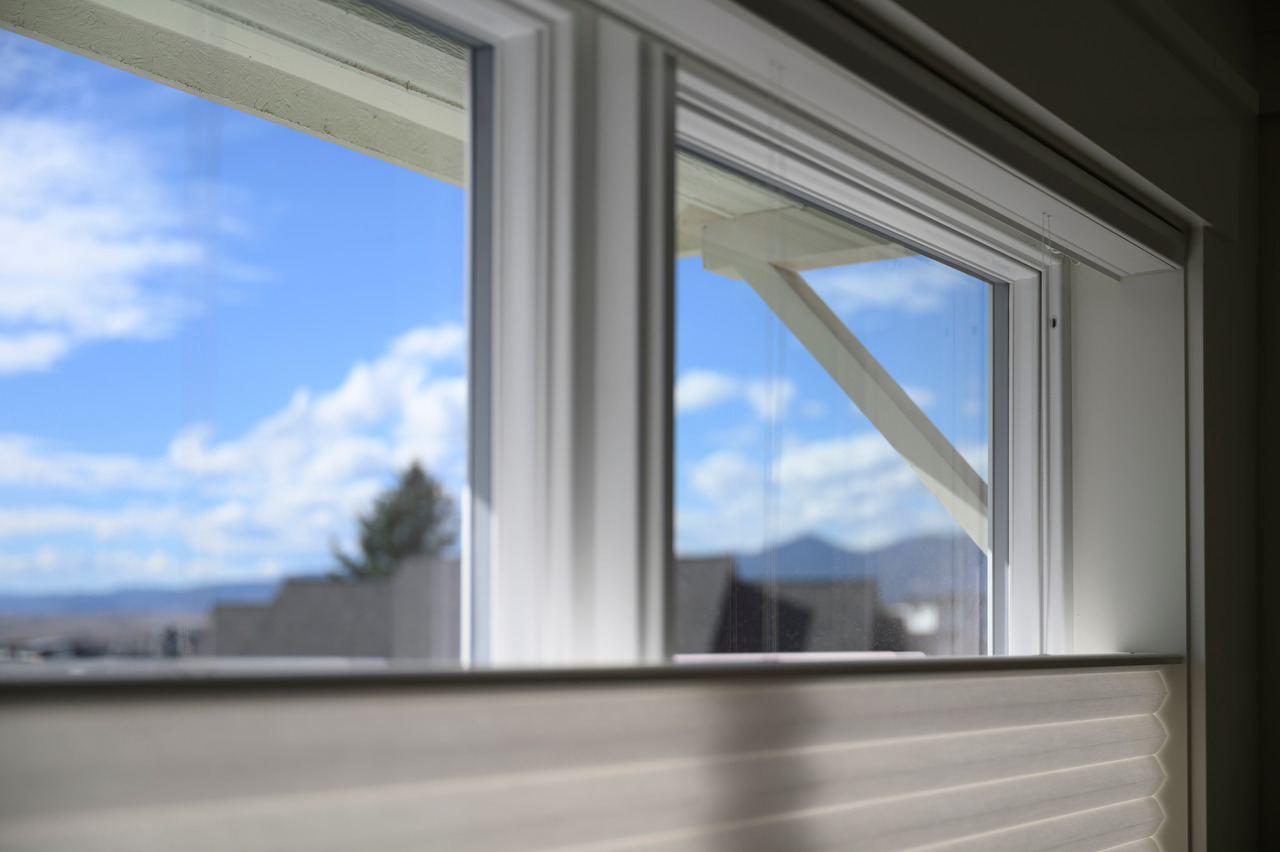
I get a lot of questions about our motorized window shades. They basically all boil down to: are they worth it? In short, yes. In this post, I'll answer some common questions and help you decide if a similar system would be worth it for you.
What shade system did you use?
In our old home, had top-down/bottom-up (TDBU) shades throughout our house and really liked the combination of light and privacy. Since Hunter Douglas offered TDBU but Lutron did not, it made our decision easy.
Do I have to prewire?
Ideally. Since we have 40 shades, it's nice to not have 40 batteries to charge, even if it's only every year or so. We have batteries on our three door-mounted shades and hardwired the rest. If I was doing a retrofit installation, I'd use a system that can be solar powered like Hunter Douglas or Smartwings.
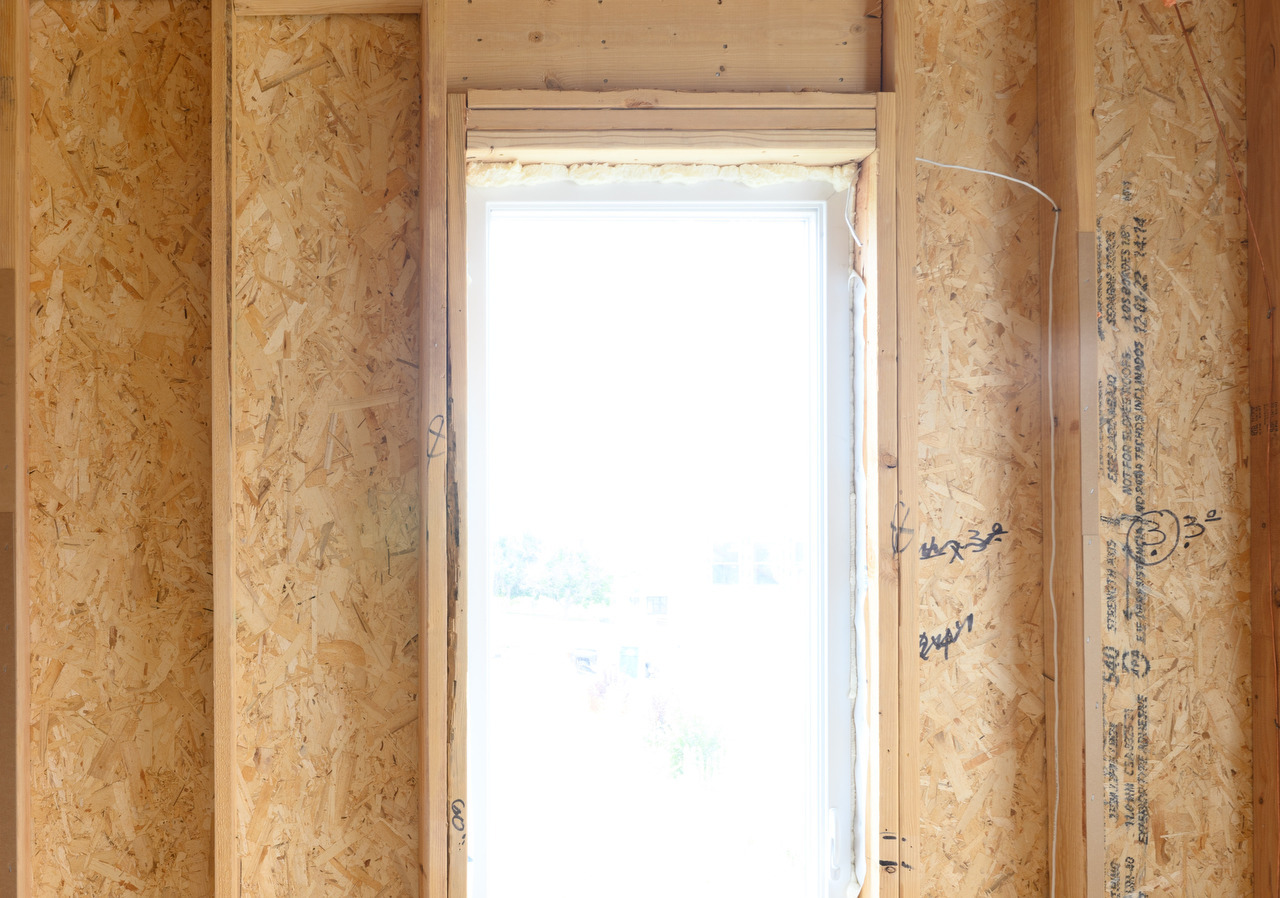
We ran shade wiring to the top corner of each window frame:
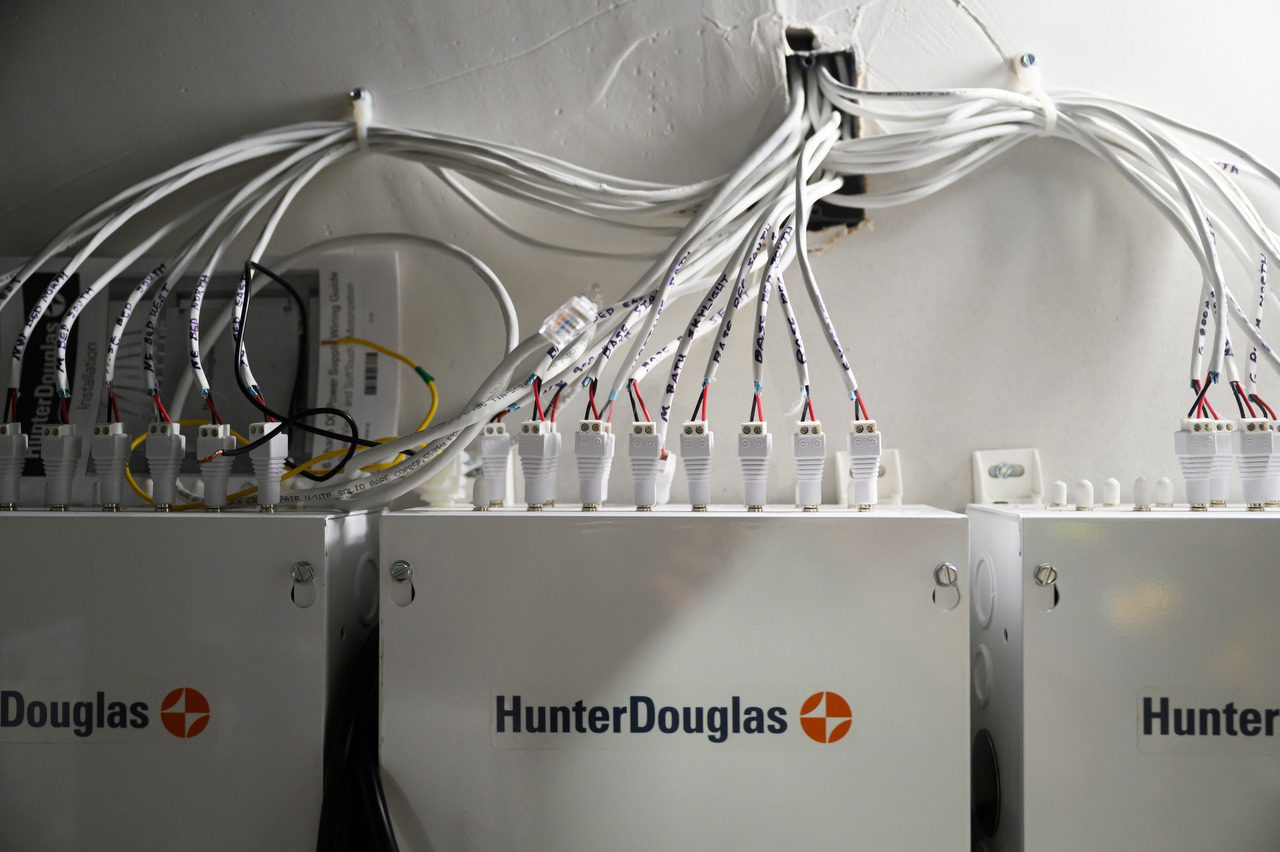
The wires all run to our utility closet, terminating into three power supplies:
What shades did you use?
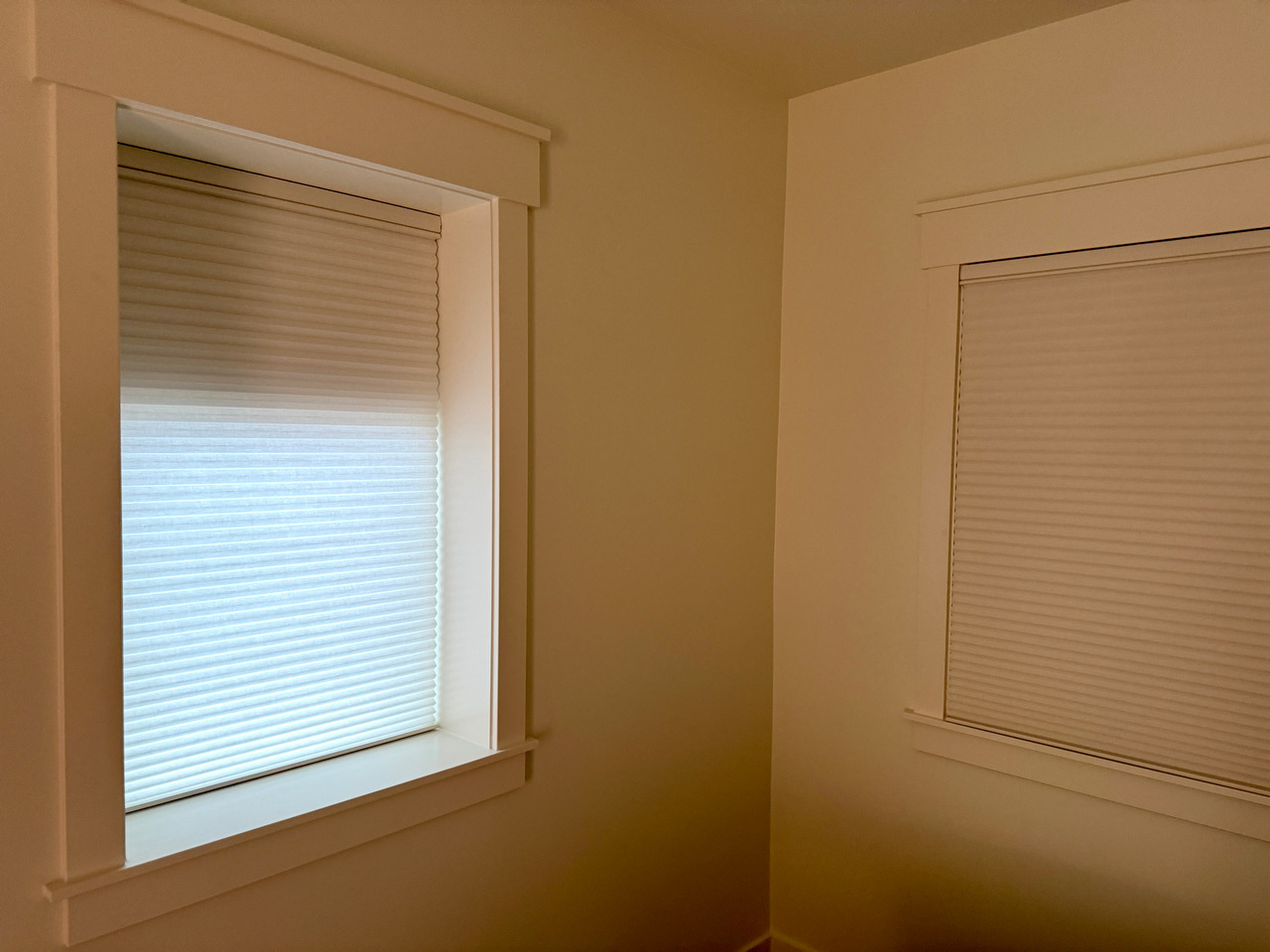
In general, we went with a simple honeycomb shade throughout the house. With the same paint color for walls and trim in every room, we picked a single color fabric for all of the shades.
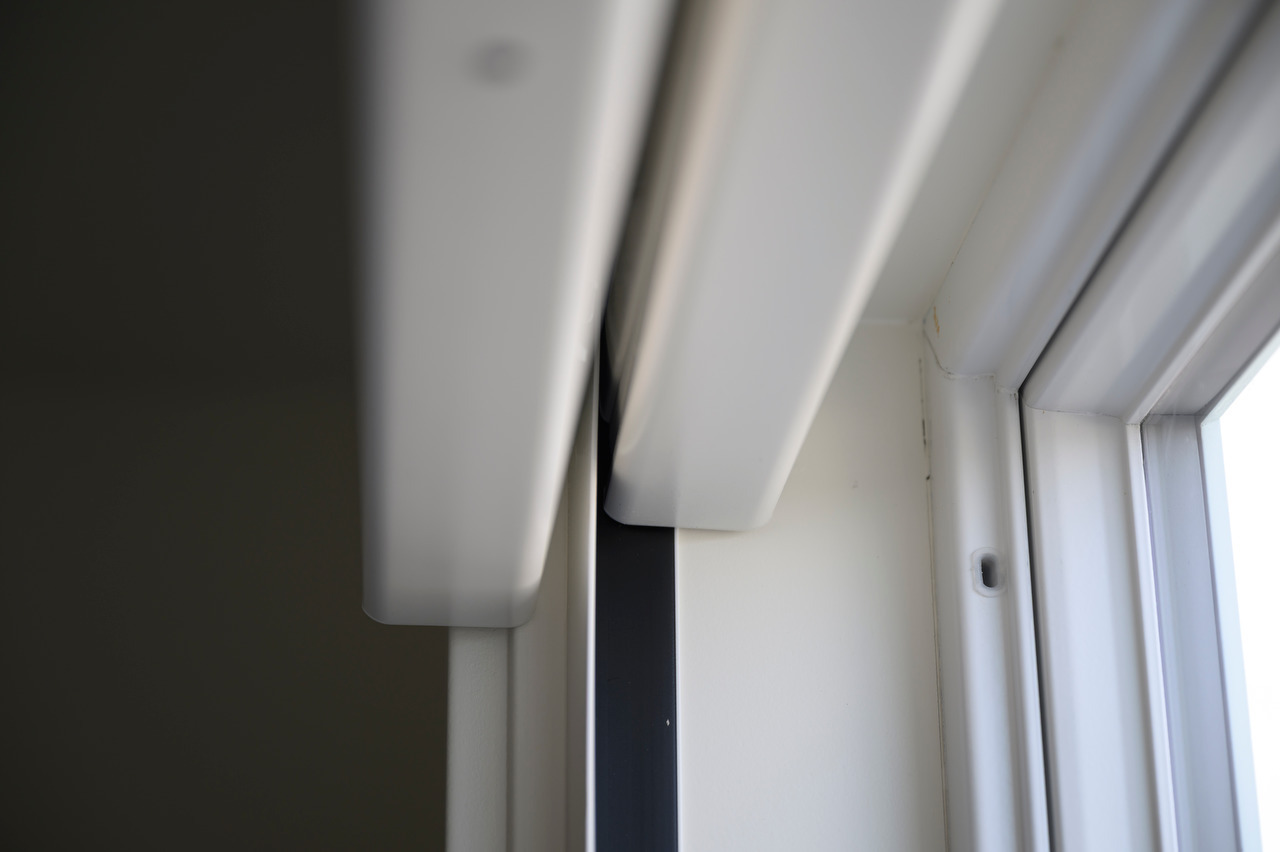
In the bedrooms, we wanted our shades to have both TDBU privacy and blackout layers. Our dealer came up with a clever solution using a pair of shades with a light-blocking channel between the two, painted to match the window trim:
How much were they?
Pricing varies depending on size, fabric, and number of motors (for TDBU), but we paid around $1k/window.
When we started our build, we didn't know if we'd have room in our budget for the system, so we prewired just to be safe, for a minimal increase in cost. In a few cases, we did not install a shade until we knew we wanted one, hiding the wire in a small plastic box inside the window frame in the mean time.
Do you have to use an app to control them?
While there is a Hunter Douglas app, we basically only used it for the initial system setup, using the wall-mounted and handheld remotes for any manual control.
For the initial installation, we temporarily mounted all of the remotes next to existing light switches using Command strips. After a year of living with the system, we did not move a single remote. In a few cases, we added additional remotes where we had other existing light switches. With how much daylight we get in Colorado, the shades are really just another lighting system, so it feels natural to have the shades controlled in the same location as the lights for a room.
What kinds of automations do you use?
While the Hunter Douglas app (PowerView) has support for basic time and sunrise/sunset offsets for schedules, it doesn't compare to what can be done with Home Assistant. Our automations fall into a couple of categories:
Time of day
Our simplest automations are triggered at a fixed time, such as having the shades open as our morning alarm clock (and turning on our side table lamps if the sun isn't up yet):
triggers:
  - trigger: time
    at: "06:00:00"
actions:
  - action: scene.turn_on
    target:
      entity_id:
        - scene.primary_bedroom_open
    data: {}
  - if:
      - condition: sun.is_set
    then:
      - action: scene.turn_on
        target:
          entity_id: scene.primary_table_lamps_low
Sun angle
We have several automations that open and close shades based on the angle of the sun relative to the window, reducing glare and keeping our home's temperature consistent room-to-room. For example, this automation controls an east-facing shade using a combination of elevation as a sunrise offset and azimuth to determine when the window is no longer in direct sun:
# Close when the sun gets high enough
- triggers:
    - trigger: numeric_state
      entity_id: sun.sun
      attribute: elevation
      above: 20
  actions:
    - action: cover.close_cover
      target:
        entity_id: cover.east_shade

# Reopen after the sun passes the east window
- triggers:
    - trigger: numeric_state
      entity_id: sun.sun
      attribute: azimuth
      above: 135
  actions:
    - action: cover.open_cover
      target:
        entity_id: cover.east_shade
Seasonal triggers
For some windows, they only pass the open/close criteria during certain times of year. We have a window in our living room that gets a lot of glare for about an hour in the evening on the longest days of the year, so that shade closes based on sun angle and a minimum elevation:
triggers:
  - trigger: numeric_state
    entity_id:
      - sensor.sun_solar_azimuth
    above: 275
conditions:
  - condition: numeric_state
    entity_id: sensor.sun_solar_elevation
    above: 14
actions:
  - action: cover.close_cover
    target:
      entity_id: cover.north_shade
Sun angle control of shade height
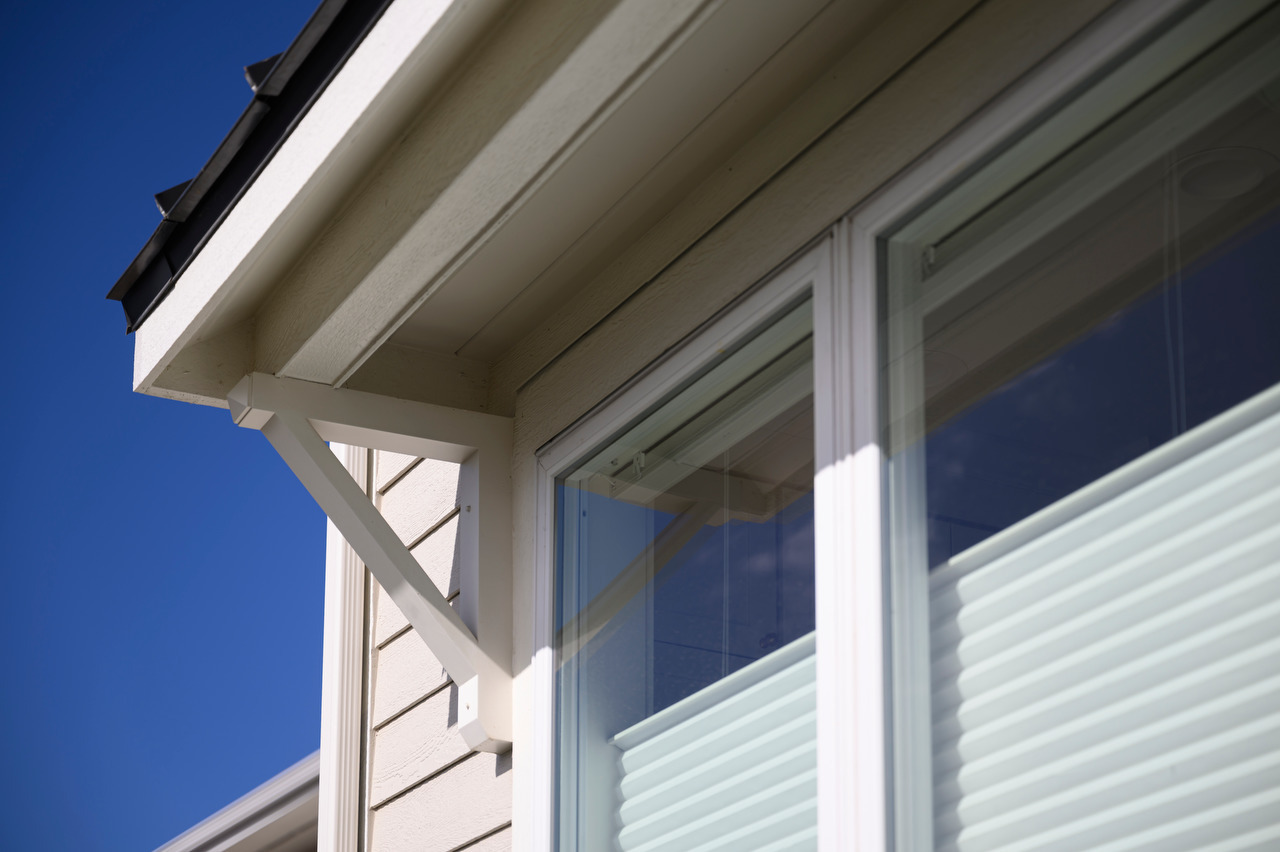
Since we have TDBU shades, we can set them to the exact height necessary to block direct sunlight while still allowing a view. For a couple of south-facing shades, I calculate the shade height (which is just a percentage of the opening) using a little bit of trigonometry:
{% set overhang_depth = 30 %}
{% set overhang_height = 4.5 %}
{% set opening_height = 51 %}

{% set tangent = tan(states('sensor.sun_solar_elevation') | float * pi/180) %}
{% set shadow_height = tangent * overhang_depth %}
{% set shade_height = opening_height + overhang_height - shadow_height %}

{{ (100 - (shade_height / opening_height) * 100) | int | abs }}
That helper value is then used as part of an azimuth and elevation-driven automation to set the shade to match the angle of the sun. Every hour, the shade re-positions to the updated value, then opens completely once the sun has moved past.
Scenes remote
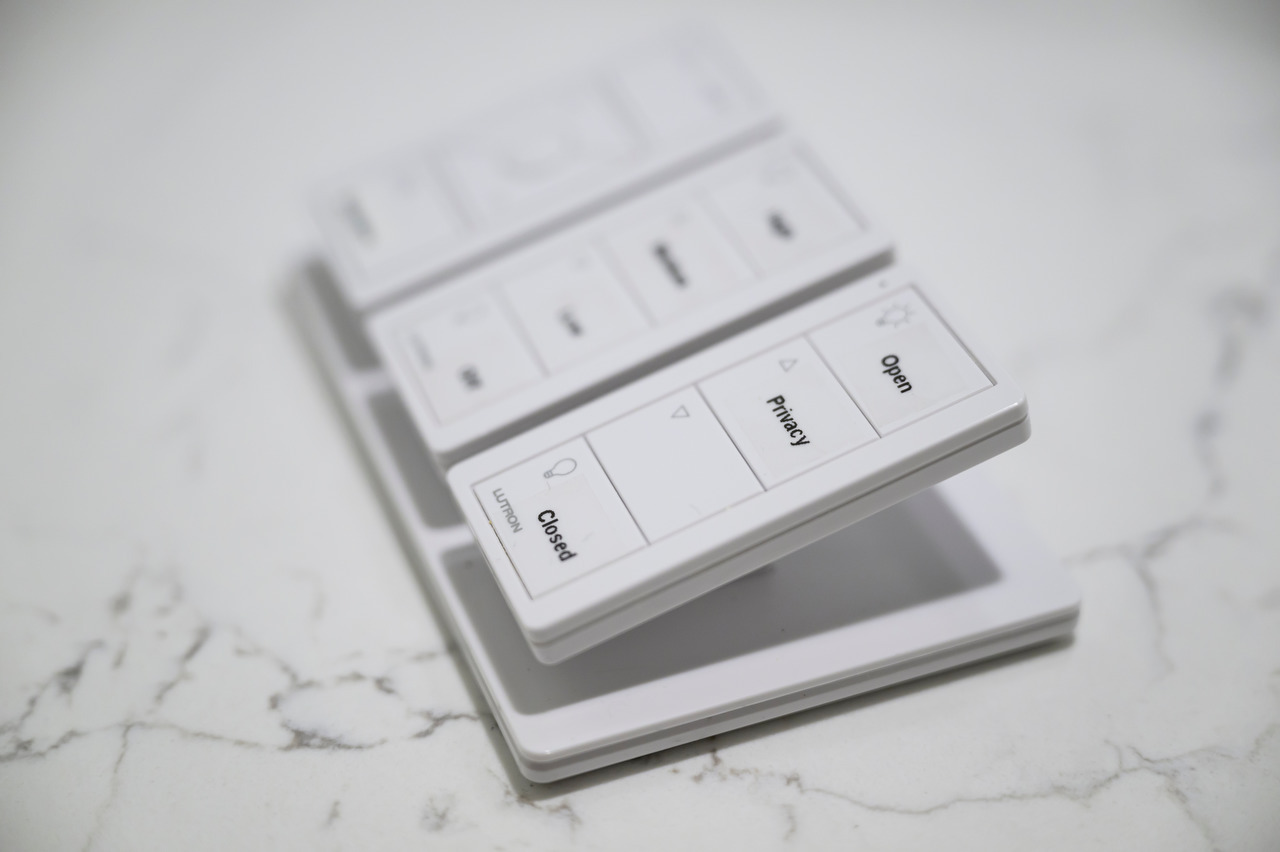
For our main common area, we have a Lutron pico remote (ironically) for picking from a couple of scenes:
What happens in a power outage?
The first time we had a power outage, none of the shades worked! We plugged the power supplies into our server rack UPS and haven't had any issues since.
Are they guest/kid friendly?
Not especially. Now that cordless shades are more common, some guests have tried to manually lift the shades, which doesn't do anything. The remotes take some explaining, and our 3-year-old can't use them properly yet (which is a good thing, most of the time!)
Did you really need to do double shades?
No. We probably could have gone without the privacy shade and just done a single blackout layer.
Did you motorize the sliding door shade?
Yes, but we switched to a non-motorized Vertiglide shade. The motorized option was slow, loud, and its manual override was not meant to be used regularly.
Are they energy efficient?
There is a real insulating effect to the cellular shades. On cold nights in the winter, we have to open the shades slightly to avoid trapping cold air behind them, which causes humidity in the air to freeze to the inside of the window! In our case, we were able to get a ~$1k total energy-savings credit for installing the system. (The credit is the same for motorized and non-motorized installations).
Are they worth it?
Overall, we are incredibly happy with our motorized shades. While it was by far the most expensive smart home feature of our project, it's also been the most practical. On most days, we never have to adjust any of them manually; they are always in the right position.